Built for authors

Sell more books.
Spend less time on marketing.

The Author's Helper is a complete promotion toolkit — book descriptions, press releases, social posts, trailers, email campaigns, and event tools — without becoming a full-time marketer.

For traditionally published, hybrid, and independent authors

Get started
Sign in or sign up below.
Forgot your password?
Enter the email on your account and we'll send you a link to set a new password. The link is good for one hour.
← Back to sign in
Choose a new password for your account. You'll be signed in automatically.
← Back to sign in
Not ready to sign up? ✨ Try the demo →
Multi-platform social posting
AI-drafted copy & book trailers
Email campaigns & reminders
Press releases & sell sheets
Print partner integration
📚
Built by someone who's been in the trenches
Three decades helping authors print, publish, and market their books.
The Author's Helper is built by Bob Sims, founder of Zip Print & Copy and Biblio Publishing in central Ohio — businesses that have served indie authors and small publishers for thirty years. This portal is the toolkit those authors kept asking for: every feature shaped by what authors actually struggle with, not what looks good in a pitch deck.
The reality
Writing the book was the hard part. Right?

For most authors, the truth lands sometime around publication day: the writing was the easy part. Now you're supposed to launch a press campaign, build a newsletter, post across half a dozen social platforms, pitch reviewers and bookstores, run events — all while writing the next one.

Most of us never trained for any of it. So we either learn on the fly, hire a publicist we can't afford, or — most often — just don't do it. And the book quietly disappears.

The Author's Helper is built for the in-between. It gives you the tools a marketing team would use, designed for the way authors actually work. Whether you're traditionally published, hybrid, or fully independent — if you're the one doing the marketing, this is your toolkit.

How it works
From a finished manuscript to a real campaign — in three steps.
No new vocabulary, no marketing degree, no unanswered questions about which platform matters this month.
01

Connect

Link your social platforms and your email service in a few clicks. Tokens are encrypted and only you can post from your account.

TikTok, Facebook, Instagram
Bluesky, LinkedIn
Mailgun for email campaigns
02

Generate

Drafts that sound like you, tuned to your book and your audience. Polish what you want; everything else is already done.

AI-drafted, genre-aware
Press releases, sell sheets, trailers
Always editable before sending
03

Reach readers

Send to the right platform at the right time. Track what works. Repeat for the next book — without starting from scratch.

Schedule and crosspost
Live previews per platform
History of every send
Everything in one place
For launch day — and every month after
Promotion is a campaign, not an event. This is the toolkit you'll keep using long after launch week.
Two ways to use it. You're always the author.
✍️

Your words, your art

Already wrote your blurb, taglines, or social copy? Made your own cover graphics or video? Use the toolkit to publish, schedule, and track across every platform — the AI never touches your work.

AI drafts, you edit

Stuck on a blurb or press release? Generate a first draft tuned to your book, then make it your own. AI suggests; you decide what publishes. Mix and match per piece.

Nothing posts without your approval. Ever.

Book descriptions

Polished, hook-first descriptions tuned to your genre. The kind retailers list and readers actually click.

AI-assisted

Press releases

AP-style press releases drafted to be sendable — proper dateline, lede, body, quote, boilerplate. Ready for the local paper or a niche blog.

AI-assisted

Sell sheets

One-page PDFs for retailers, librarians, and reviewers. Cover, hook, comp titles, ISBN, contact. Looks like you have a publicist.

AI-assisted

Cover letters & pitches

Drafted outreach for ARC programs, bookstore appearances, podcasts, and reviewers — tailored each time, never generic.

AI-assisted

Multi-platform social posting

Compose once, publish to TikTok, Facebook, Instagram, Bluesky, and LinkedIn. Each post tuned to that platform.

AI-assisted

Book trailers

Render a polished video trailer from your cover, blurb, and a few choices. AI backdrops, narration, music. Perfect for BookTok and Reels.

AI-assisted

Email campaigns

Send newsletters to your subscriber list with a clean editor and your own Mailgun account. No Mailchimp tax, no friction.

Author events & reminders

Track signings, readings, podcasts, library talks. Get email reminders before each one. One-click promote to social or press.

Education library

Plain-English lessons on book trailers, BookTok, ARC strategy, press outreach, hashtag strategy by genre. Practical, not aspirational.

Print on demand

Get instant quotes for short-run paperbacks through our local print partner. Order proofs and event stock without minimums.

Sales channels

Connect Amazon KDP, Shopify, Google Merchant, eBay, and Ingram Spark — track listings and routes from one dashboard.

Genre-specific guidance

Cozy mystery hashtags, romance landing pages, thriller covers, literary press lists — advice that knows what you write.

Take the tour
Here's what it actually looks like.
A quick walk through the rooms you'll spend the most time in.

Your books, your AI context

Every AI feature reads your book's metadata — title, genre, blurb, themes — to keep drafts on-brand and on-tone. The more you fill in, the better every output gets. The description tool already knows about the book it's writing for.

  • One book record powers every tool
  • Add a new field, every output improves
  • Manage multiple books from one dashboard
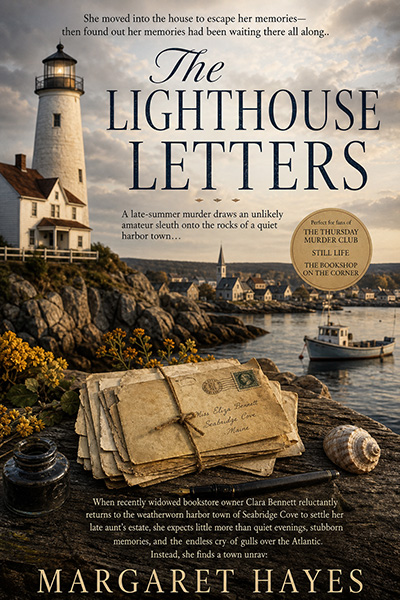
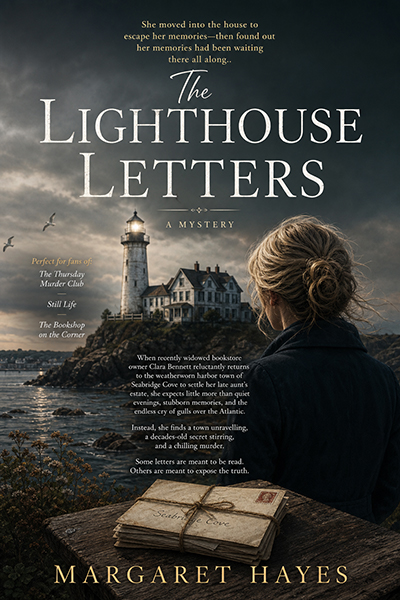
The Lighthouse Letters — cover
The Lighthouse LettersCozy mystery · Margaret Hayes
"A late-summer murder draws an unlikely amateur sleuth onto the rocks of a quiet harbor town…"

Compose once, post everywhere

Write your post once. The composer renders previews for each platform you've connected, with platform-specific tone variations and the right image dimensions. Schedule it, post it now, or save a draft.

  • Live previews per platform
  • Auto-resized images and videos
  • Skip platforms with one click
A locked-room mystery in the off-season. Cozy meets clever, with a cup of something hot. Available now.
TikTok  ·  Will publish
Instagram  ·  Will publish
Bluesky  ·  Will publish
LinkedIn  ·  Skipped
Send all

Trailers your readers will share

From your cover, your blurb, and a few choices, the trailer renderer assembles a polished 30–60 second video — with AI backdrops, optional narration, music, and your tagline. Built especially for vertical formats that perform on BookTok and Reels.

  • Vertical, square, and widescreen formats
  • AI-generated backdrops tuned to genre
  • Re-render variations until it's right
Your trailer →

Events with built-in promotion

Add a signing, podcast, or library talk. Get email reminders before the event so nothing falls off your calendar. Generate a social post or press release for the event with one click — proper details, proper tone, proper hashtags.

  • 24-hour and 1-hour email reminders
  • Promote any event in seconds
  • Upcoming and past events tracked
📚 Book signing · Sat, May 16 · 2:00 PM 🔔
🎙 Podcast · Tue, May 19 · 7:00 PM 🔔
🎉 Launch party · Sat, Jun 1 · 6:30 PM
Generate social post Generate press release
Pricing
Plans that match how much you write.
Whether you publish a book a year or a book a month — there's a tier that fits.

Starter

For authors testing the waters or planning their first launch.

$14.95/ month
$135 / year — save 25%
  • 1 book project
  • AI drafting for descriptions, posts, taglines, sell sheets
  • Connect 3 social platforms
  • Event tracking with email reminders
  • Education library

Unlimited

For prolific authors, hybrid publishers, and anyone running multiple campaigns at once.

$99/ month
Save 20% with annual billing
  • Unlimited book projects
  • Highest AI generation limits
  • Highest trailer render allotment
  • Priority support
  • Early access to new features

All plans include: unlimited social posts to your connected platforms · email reminders · the education library · print & distribution dashboard · cancel anytime

Your book deserves more than wishful thinking.

The tools to promote it are right here. Start using them today.

🎬 Demo mode — explore freely. AI generations are illustrative; nothing actually posts to social or sends email. Sign up to start posting →
Total sales
Connect sales channels
Email subscribers
Set up email campaigns
Posts sent
0
via The Author's Helper
Social reach
Connect platforms
Your marketing progress. Below is every marketing area in The Author's Helper. You don't need to do them all at once — most authors start with a few. As more green checks fill in, more of your marketing is working for you. Click any item to jump straight to that section.
0 of 0 complete
Quick actions
Platform connections
Facebook
Not connected
Instagram
Not connected
Bluesky
Not connected
LinkedIn
Not connected
TikTok
Not connected
No books added yet — click above to add your first title

Why post to social? Social media is how indie authors stay visible between launches. The trick is consistency, not virality — a steady drumbeat of posts about your book, your process, and your reading life builds an audience that actually buys when the next launch comes. This is the workspace for that drumbeat: write once, pick your platforms, and publish to Facebook, Instagram, Bluesky, LinkedIn, and TikTok in a single click. Connect new platforms under Connections and check the Social media for authors lesson for what to post and how often.

Compose post
0 characters
Type a post above to see how it'll look with the link.
Recent posts
No posts yet
Your email system
Loading…
Your campaigns
Loading…
Stats update in real time as Mailgun reports events.
Recipients
Loading…
Recent activity
Loading…
Review
From
Subject
Preview text
Who will receive this?
Pick one or more lists. Unsubscribed contacts and any on the suppression list will be skipped automatically.
Loading your lists…
Send yourself a test first
See what your campaign looks like before you send it to everyone.
Test emails are prefixed with "[TEST]" in the subject line.
When should this go out?
Keep it short — 50 characters or less tends to get the best open rates.
Plain-text-voice — sound like a writer, not a marketer
An unsubscribe link and your physical address will be added automatically to every email (required by CAN-SPAM).
🛈
KDP doesn't offer a public API, so The Author's Helper can't post to Amazon directly. Instead, these tools generate copy-paste-ready content tuned to your book, and a planner so you don't lose track of what's running where. Use the Open KDP ↗ buttons inside each tool to jump to the matching screen on KDP.
🔑
Keywords + Categories
Keywords + BISAC categories for KDP, IngramSpark, and other platforms
📐
A+ Content
3 modules of rich product-page content
👤
Author Central Bio
Cross-book bio for your Amazon Author Page
📅
Promo Planner
Plan Free Days & Countdown Deals for KDP Select
📈
Sales Rank Logger
Track your Amazon BSR over time on a chart
✉️
Promo email
Email campaign
📄
Cover letter
For submissions
🗂️
Book flyer
Print-ready
📊
Sell sheet
For buyers
🔑
Keywords + Categories
KDP, IngramSpark, and more
📐
A+ Content
For KDP product page
👤
Author Central bio
Cross-book Amazon bio
📅
KDP Promos
Free Days & Countdown Deals
📈
Sales rank logger
Track Amazon BSR over time
Before you generate

Cover letters change shape by recipient — an agent query is formal and manuscript-focused, a podcast pitch is conversational and centered on what you can talk about. Pick the right shape for the right reader.

New to query letters, or unsure how a podcast pitch should look? Read the full guide →

Generate a cover letter
Before you generate

A sell sheet is a one-page reference document buyers scan in seconds. The metadata block (ISBN, format, distribution, returnability) is what makes a stocking decision possible — fill in the book setup form completely before generating.

Never seen a sell sheet before? Read the full guide and see a complete example →

Generate a sell sheet
Why this matters

Almost every place you list a book — KDP, Amazon Seller, IngramSpark, Barnes & Noble Press, Kobo Writing Life, Apple Books, even your own Shopify or WordPress store — asks for keywords and one or two BISAC categories. Pick the wrong ones and your book is invisible; pick generic ones and you're drowning in competition. The AI below generates 12 keyword candidates and 4 BISAC categories, ranked strongest-first, plus a quick guide for which subset to use on each platform (KDP wants 7+2, IngramSpark 5–7+2–3, etc.). Fill in your book's description, genre, audience, and comparable titles for AI suggestions that actually match the book.

Generate suggestions
What is A+ Content?

When a reader scrolls down on your Amazon book page, after the basic description, they hit the "From the Publisher" section. That's A+ Content — image-and-text blocks that read as full marketing real estate. KDP gives you up to 7 modules per book; most indie authors use zero because the editor is intimidating.

This generates 3 ready-to-use modules. Paste each into KDP → Marketing → A+ Content → Create A+ Content → Modules. You'll add your own images on KDP's side.

Generate A+ Content
Where this bio lives

This bio is different from the per-book "About the author" you wrote on each book page. It lives on your Amazon Author Central profile and appears on every one of your books. It establishes who you are as an author — the kinds of books you write, your voice, and where readers can follow you.

Need to set up Author Central first? See setup instructions →

Generate bio
Pick any of your books — the AI uses it for genre, audience, and voice context. The bio itself is cross-book and won't pitch this specific title.
How this works

If your book is enrolled in KDP Select, you get two promo types per 90-day enrollment cycle: Free Promo Days (up to 5 days where the eBook is free) or Countdown Deals (up to 7 days at a discounted price, US/UK only). They don't stack — you pick one per cycle.

This is a planning tool, not a KDP integration. Two steps:

  1. Plan here. Pick the book, type, and dates. Save. Nothing is sent to Amazon — the plan lives in your app so you can keep track of what you've committed to.
  2. Run on KDP. Sign in to kdp.amazon.com → Bookshelf → click the ··· menu next to your book → Promote and Advertise. Pick Free Book Promotion (for Free Promo Days) or Kindle Countdown Deals. Enter the same dates you planned here. Submit. KDP usually approves within a few hours.
Upcoming & active
Loading…
Past
Loading…
How this works

Amazon shows a Best Seller Rank (BSR) on every Kindle and paperback product page — buried in the "Product details" section. Lower rank = better. A book at rank 5,000 is selling more often than one at rank 200,000.

Amazon doesn't expose BSR via an API, so this is a manual log: visit your Amazon product page, copy the BSR number, paste it here with today's date. Weekly is plenty. Over time, you'll see trends — what a promo did to your rank, how new releases moved the needle, whether a slow period is normal seasonality or something to worry about.

Find the BSR on your book's Amazon page → scroll to "Product details" → look for "Best Sellers Rank: #X in Kindle Store" (the overall number, not the category numbers).

Pick a book
How it works
  1. Pick the asset you want to make — each tile below opens a focused workspace.
  2. Select your book on that page — the brief auto-fills with genre-matched style suggestions.
  3. Customize and generate — adjust style, mood, colors, then click Generate.
  4. Download, then add text — title, author, and any copy should be added after download using Canva or another design tool. AI-generated text in images is unreliable.
Tips:  ·  "No text" and "no borders" are enforced automatically — you don't need to add those.  ·  Use Include in image for specific objects, people, or places (a lighthouse, a woman in red, a Paris street) or extra style notes (wide open sky, shallow depth of field).  ·  DALL-E cannot reproduce your actual book cover — it can only work from descriptions. To post using the real cover, use Use book cover in the Social Posts area.  ·  If the first result isn't right, tweak one or two brief fields and regenerate.
📚
Book Cover Concept Pro & Up

AI portrait-format concept image to inspire your cover design. Download as a starting point.

📷
Social Media Graphic

Text overlay copy + AI background image for Instagram, Facebook, or Pinterest.

💬
Quote Card

AI quote text + background image for a shareable graphic.

📅
Event & Signing Flyer

Promo copy for book signings, readings, and author events.

🎬
YouTube Thumbnail Text

Bold, short thumbnail text options that get clicks.

🎙️
Book Trailer Script

30–60 second narration script with scene cues — ready for a videographer or video tool.

🎞️
Book Trailer Video Beta

30-second vertical book trailer (9:16) — your cover with Ken Burns motion, title and tagline overlays, mood-matched music. Renders in 1–2 minutes.

← Back to Graphics & Video
Book Cover Concept Pro & Up

AI-generated portrait concept image to inspire your cover design. Download and use as a starting point.

Image Brief
Print size:
Style:
Mood:
Color palette:
Lighting:
Complexity:
Colors to include:
Include in image:

Add title & author text after download — AI text rendering is unreliable.

← Back to Graphics & Video
Note: Instagram doesn't make caption links clickable — consider "link in bio" for Instagram posts.
Type a post above to see how it'll look with the link.
Image Brief
Style:
Mood:
Color palette:
Complexity:
Colors to include:
Include in image:

Add title text after download — AI text rendering is unreliable.

← Back to Graphics & Video

AI quote text + background image for a shareable graphic.

Image Brief
Atmosphere:
Background:
Color tones:
Complexity:
Colors to include:
Include in image:

Add quote text after download — AI text rendering is unreliable.

← Back to Graphics & Video
Type a post above to see how it'll look with the link.
Image Brief
Style:
Mood:
Color palette:
Complexity:
Colors to include:
Include in image:

Your headline copy lands on the top, the structured details (date, time, venue, address, phone, RSVP) land on the bottom, and your book cover composites in the middle. All overlays are pixel-exact — open Canva only if you want to swap fonts or brand colors.

Open Canva Flyer → Open Canva Poster →
← Back to Graphics & Video

Bold, short text for a thumbnail that gets clicks.

Open Canva →
← Back to Graphics & Video

A 30–60 second narration script with scene cues — ready to hand to a videographer or use in a video tool.

← Back to Graphics & Video
Beta — quality preview

This generates a watermarked preview while we evaluate output quality. Once we're happy with the look, we'll move to paid (un-watermarked) rendering. Renders typically complete in 1–2 minutes.

Trailer details
Layout: AI-generated atmospheric backdrop matched to your book's genre + cover thumbnail + tagline in lower third + closing card. Pro & Unlimited tiers get three cross-fading backdrop scenes for a cinematic feel; Starter gets one.
Auto-filled from your book if a cover URL is on file. Shotstack must be able to fetch this URL.
Keep it short — 5 to 9 words reads best at this size.
Different platforms favor different aspect ratios. Cover scale and backdrop dimensions auto-adjust to fit the format.
When narration is on, music ducks so the voice stays clear. Counts the same as a regular render against your monthly quota.
Override the genre-default backdrop with specific colors or elements. Applied to all backdrop scenes.
Before you generate

A press release works best when there's real news — a launch with a local angle, an award, a milestone, or an event. Routine "new book available" announcements rarely get coverage.

New to press releases, or wondering where to send one? Read the full guide →

Generate a press release
Channels
Amazon KDP
Print + eBook
Amazon Author Central
Author bio, photo, and Follow button on every book page
Amazon Series page
Consolidated landing page for multi-book series — readers see all books in order
Shopify
Direct store
Not connected
WooCommerce
Self-hosted WordPress store
Not connected
Google Merchant
Product listings
Ingram Spark

Global print-on-demand distribution to 40,000+ bookstores, libraries, and online retailers worldwide. Setup help walks you through the 10-step process; Manage opens your IngramSpark dashboard.

Print partners
Zip Print & Copy
Local print partner — Columbus, OH
Ingram Spark POD
Print on demand

What this is for. When you need a small or medium print run for an author event, book signing, special edition, or supplemental inventory beyond what KDP and IngramSpark provide, fill in the specs below. You'll get an instant estimate on the right as you make selections — then submit the form to place the order. Most jobs ship in one to two weeks.

About Zip Print & Copy. Zip Print & Copy (Grandview Heights, OH) is one of the largest book producers in Central Ohio — a family-owned shop that has printed books and short-run materials for authors, publishers, and small businesses for over 20 years. They offer digital printing with a full range of bindings: perfect bound, saddle stitch, coil, and comb. Unlike print-on-demand services that print one book at a time, Zip Print specializes in short and medium runs — typically 25 to 500 copies — where you can talk to a real person about paper choice, binding quality, and turnaround. Ideal for launch events, signed editions, and any time you want hand-controlled inventory rather than POD economics.

Contact Information * required
Please enter your full name.
Please enter a valid email.
Please enter a phone number.
Book Specifications
Please choose a page size.
Please enter the number of copies.
Please choose a free proof option.
Available for orders of 10+ copies.
Please choose a binding type.
Enter pages in at least one field.
Please choose single or double sided.
Please choose interior paper.
Please choose cover stock.
File Upload
PDF, DOC, DOCX, InDesign, AI, EPS, PSD, TIFF, JPG, PNG, ZIP. Max 150 MB per file. After choosing a file, another field appears automatically.
Large files can also be sent via Zip Cloud — send us an email after uploading.
Instant Estimate
Total copies0
BindingNot selected
B&W pages0
Color pages0
Print cost per copy$0.00
Adjusted per copy$0.00
Full order cost$0.00
Adjusted total$0.00
Cover choice, shipping, and file review may affect final pricing. Orders of 1–9 copies add a flat $5.00.
Zip Print & Copy 1091 West 1st Ave
Grandview Heights, Ohio 43212
614-485-0721
info@zipprintcopy.com
zipprintcopy.com
Ad platforms
Google Ads
Facebook Ads
Amazon Ads
Ingram Advertising

Your website is the one place online you own. Social platforms are rented land — algorithms shift, accounts get suspended, audiences disappear overnight. A WordPress site is yours: it hosts your buy links, your blog, your newsletter signup, and your About page, all under your domain. Connect your existing WordPress site below and you can draft blog posts inside this portal and publish straight to it — no copy-paste, no logging in to two places. Don't have a site yet? Start in the WordPress for Authors section for a step-by-step setup with recommended hosts.

Loading…

Checking your WordPress connection.

Total contacts
All contacts
Opted in
Can receive email
Unsubscribed
Will not receive email
Bounced
Bad email addresses
Filters
Contacts
Loading…
Your lists
No lists yet — create one to group contacts
Suppression list
Emails that won't receive any campaigns — bounces, spam complaints, and unsubscribes
Email open rate
No campaigns yet
Click-through
No campaigns yet
Ad ROI
No ads running
Social followers
Connect platforms
Connect platforms to see analytics

Your marketing education

Short, practical guides on using the portal and promoting your books. No fluff — just what works for independent authors.

0 / 13
lessons completed
Beginner

Why WordPress? A WordPress site is the easiest, most flexible way for an author to claim a piece of the internet that's actually yours — no coding required. Modern themes do the design work, and one-click plugins handle the rest: sell books directly through WooCommerce, collect newsletter signups, run a blog, list upcoming events, even take pre-orders. You can start with just an About page and a buy link, then grow into a full author business as you go. And because WordPress runs roughly 40% of the web, finding hosts, plugins, designers, and step-by-step tutorials is never the bottleneck.

Why every author needs a website
Your social media accounts are rented land. Your website is the one place online that you own completely — no algorithm can take it away.
Social platforms
Facebook + Instagram
Posts to your Page and Instagram Business account
Checking…
Bluesky
Posts to your Bluesky account
Checking…
LinkedIn
Posts to your personal LinkedIn profile
Checking…
TikTok
Posts to your TikTok account
Checking…
How connections work

When you click Connect, you'll be taken to that platform to approve access. Your tokens are stored securely and tied to your account only — other authors cannot access your connections. You can disconnect at any time.

Profile
Change password
Subscription
Plan
Status
Member since
Email preferences

The Author's Helper sends biweekly progress nudges (suggested next setup steps) and short congratulations when you complete new items on your Marketing Progress Grid. Operational emails — quota warnings, billing notices — always send.

Monthly Yearly Save ~20%

All plans bill on signup and renew on the same day each month or year. Cancel anytime from the Account page; access continues through the end of the paid period.

Loading…
By feature
Loading…
Recent calls (up to 200)
Loading…
Recent conversations (most recent first)
Loading…
Active & inactive overrides
Loading…
By reason
Loading…
Recent feedback (up to 200)
Loading…
Hi! I'm Sophie. Need help with your book, a post, or finding something in the app? Click here to chat.